

Download Recipefox – Free Firefox Add‑on for Easy Recipe Capture
Overview
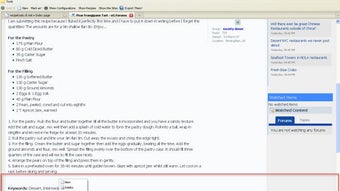
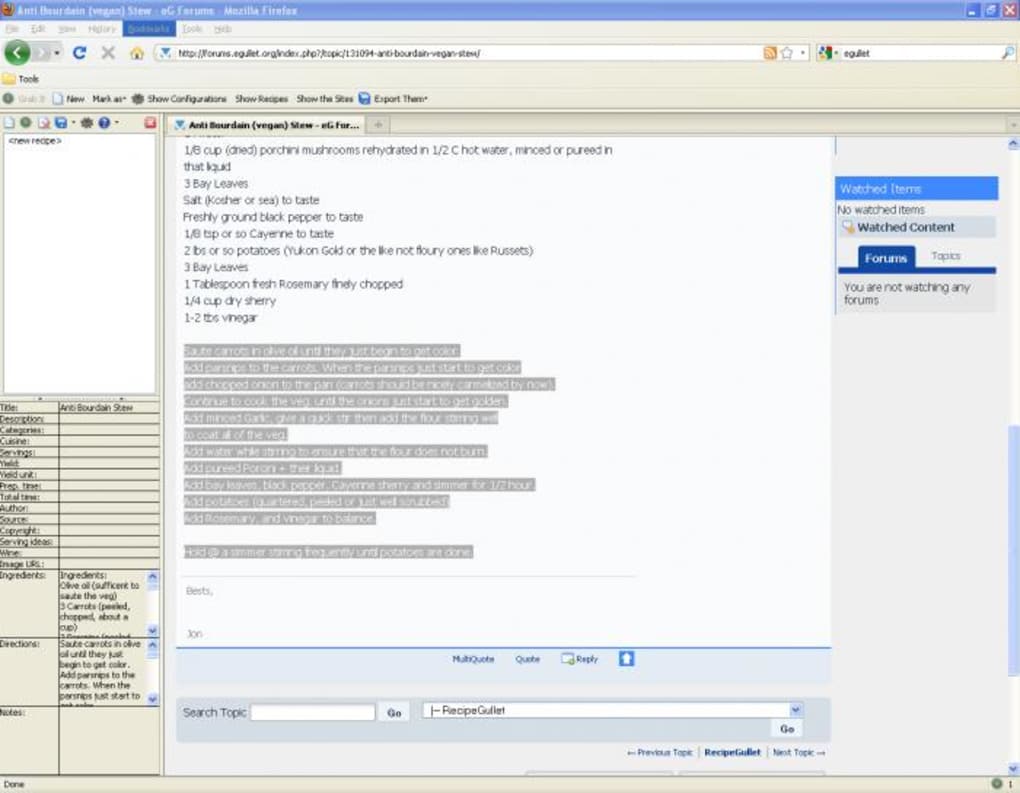
If you love cooking and spend time hunting for new dishes on the web, Recipefox is the browser companion you didn’t know you needed. Designed as a lightweight Firefox add‑on, Recipefox lets you “grab” recipes from any site, tag each part – title, description, ingredients, instructions – and instantly export the data to popular cooking managers such as Living Cookbook, Mastercook, or Meal Master. The workflow is simple: highlight the element you want, pick the appropriate category from the toolbar dropdown, and watch the recipe appear in a handy sidebar where you can fine‑tune the details before saving.
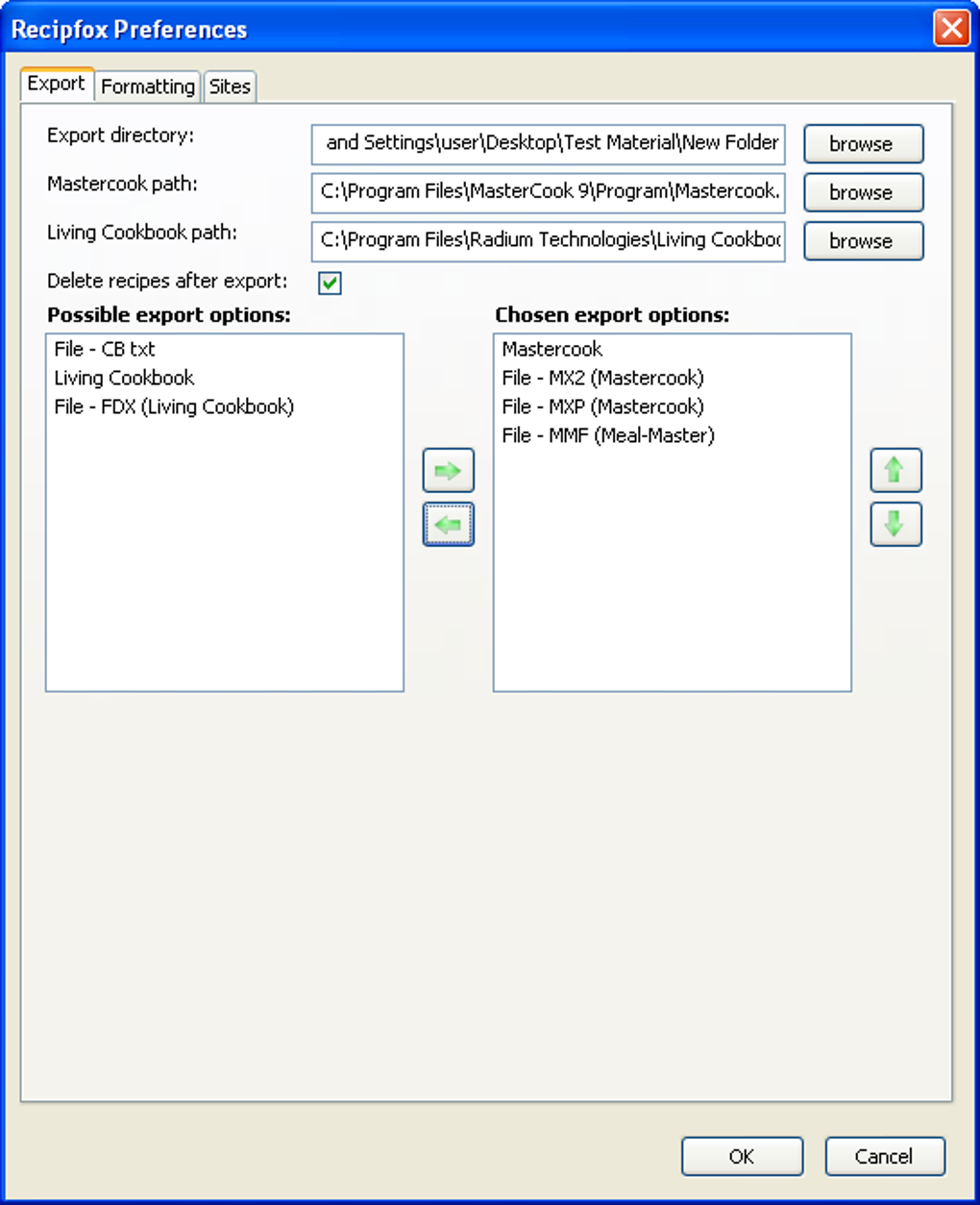
What sets Recipefox apart is its deep configurability: you can define default export folders, choose between metric or imperial measurements, and even curate a personal list of “trusted” sites that automatically pull full‑page recipes with a single click. The toolbar stays discreet but can’t be disabled, ensuring you always have a quick entry point for new recipes. Whether you’re a casual home chef or a seasoned food blogger, Recipefox turns the endless scroll of food blogs into a structured, searchable library you can manage offline.
Key Features & How to Use Them
- One‑click ingredient capture: Highlight any ingredient line, select “Ingredient” from the dropdown, and the add‑on automatically stores the amount, unit, and item.
- Full‑page recipe import: Use the “Show the Sites” button to pull an entire recipe from a pre‑approved list of cooking sites without manual highlighting.
- Multi‑format export: Export directly to Living Cookbook, Mastercook, or Meal Master in their native XML formats, or save as a plain‑text file for universal access.
- Measurement conversion: Toggle between metric and US customary units on the fly; the add‑on updates all quantities instantly.
- Custom site list: Add or remove websites from the automatic import list, giving you control over which sources are treated as “trusted.”
- Smart compatibility alerts: If you try to export to a program you don’t have installed, Recipefox warns you before proceeding.
- Editable sidebar: All captured data appears in a side panel where you can rearrange sections, correct typos, or add personal notes before saving.
- Extensive configuration panel: Set default export directories, choose default measurement system, and decide whether the toolbar appears on every tab.
Step‑by‑Step Usage Guide
1. Install the add‑on: After downloading (see the Installation section below), click the Firefox menu → Add‑ons → Extensions, and enable Recipefox.
2. Navigate to a recipe page: Open any cooking blog, food magazine, or recipe aggregator.
3.
Highlight each part: Use your mouse to select the title, then choose “Title” from the toolbar dropdown; repeat for description, ingredients, and instructions.
4. Review in the sidebar: The captured elements appear on the right‑hand side. Edit any field, add personal notes, or adjust measurements.
5.
Export: Click the export button, pick your target application (Living Cookbook, Mastercook, Meal Master, or plain‑text), and confirm the save location.
6. Automatic site import: For sites you’ve added to the trusted list, simply click “Show the Sites” → select the site, and the full recipe loads without manual highlighting.
Compatibility, System Requirements, and Pros vs. Cons
Recipefox is built exclusively for the Firefox web browser, which runs on Windows 7/8/10/11, macOS 10.12+, and Linux distributions that support Firefox. Because it is a browser extension, there is no separate installer for Android or iOS; however, the Firefox mobile version can load the add‑on via the “Add‑ons Manager” on supported devices, though some advanced sidebar features are limited to desktop environments.
Pros
- Free and open‑source, with regular updates from the developer community.
- Works with the three most popular recipe management programs, eliminating manual data entry.
- Highly customizable – you can tailor export paths, measurement units, and trusted site lists.
- Instant visual feedback in the sidebar makes editing painless.
- Lightweight; it does not noticeably slow down Firefox browsing.
Cons
- Only available for Firefox; users of Chrome, Edge, or Safari must switch browsers or forego the tool.
- Toolbar cannot be hidden, which some minimalist users may find intrusive.
- Advanced grabbing specifications require a learning curve for power users.
- Mobile functionality is limited compared to the full desktop experience.
FAQ & Conclusion – Get Started with Recipefox Today
Is Recipefox really free?
Yes, Recipefox is completely free to download and use. The developer funds ongoing updates through optional donations.
Can I use Recipefox with Chrome or Edge?
Currently the add‑on is built only for Firefox. The codebase is open, so a community port could appear in the future, but for now Firefox is required.
What happens if I don’t have Living Cookbook installed?
Recipefox detects installed recipe managers. If you select an export format for a program that isn’t present, it will display a warning and let you choose an alternative (e.g., plain‑text).
How does the measurement conversion work?
In the settings panel you can set a default unit system. When you toggle between metric and US customary, every ingredient amount is recalculated automatically, preserving precision.
Is my recipe data stored locally or in the cloud?
All captured recipes remain on your computer until you export them. Recipefox does not sync data to any external server, keeping your culinary secrets private.
Conclusion – Why You Should Download Recipefox Now
For anyone who spends more time scrolling through food blogs than actually cooking, the ability to transform scattered web content into a structured, searchable library is a game‑changer. Recipefox delivers that power with a clean Firefox interface, robust export options, and a depth of configuration that satisfies both beginners and seasoned recipe archivists. While the exclusive Firefox requirement may limit some users, the trade‑off is a lean, responsive add‑on that never competes with your browsing speed. The pros—free, multi‑format export, measurement conversion, and smart site handling—far outweigh the minor cons of toolbar visibility and mobile limitations. If you already own Living Cookbook, Mastercook, or Meal Master, Recipefox will shave minutes off every data‑entry task, letting you focus on the fun part: cooking.
Ready to start building your personal digital cookbook? Download Recipefox today, follow the quick installation steps, and watch your favorite recipes snap into place with a few clicks. Happy cooking!
Recipefox blends simplicity with powerful export features, making it an essential Firefox add‑on for any home chef who loves to collect online recipes.







